Type-design AI assistant for Glyphs. Inspects only the areas you direct. Edits only with your approval.
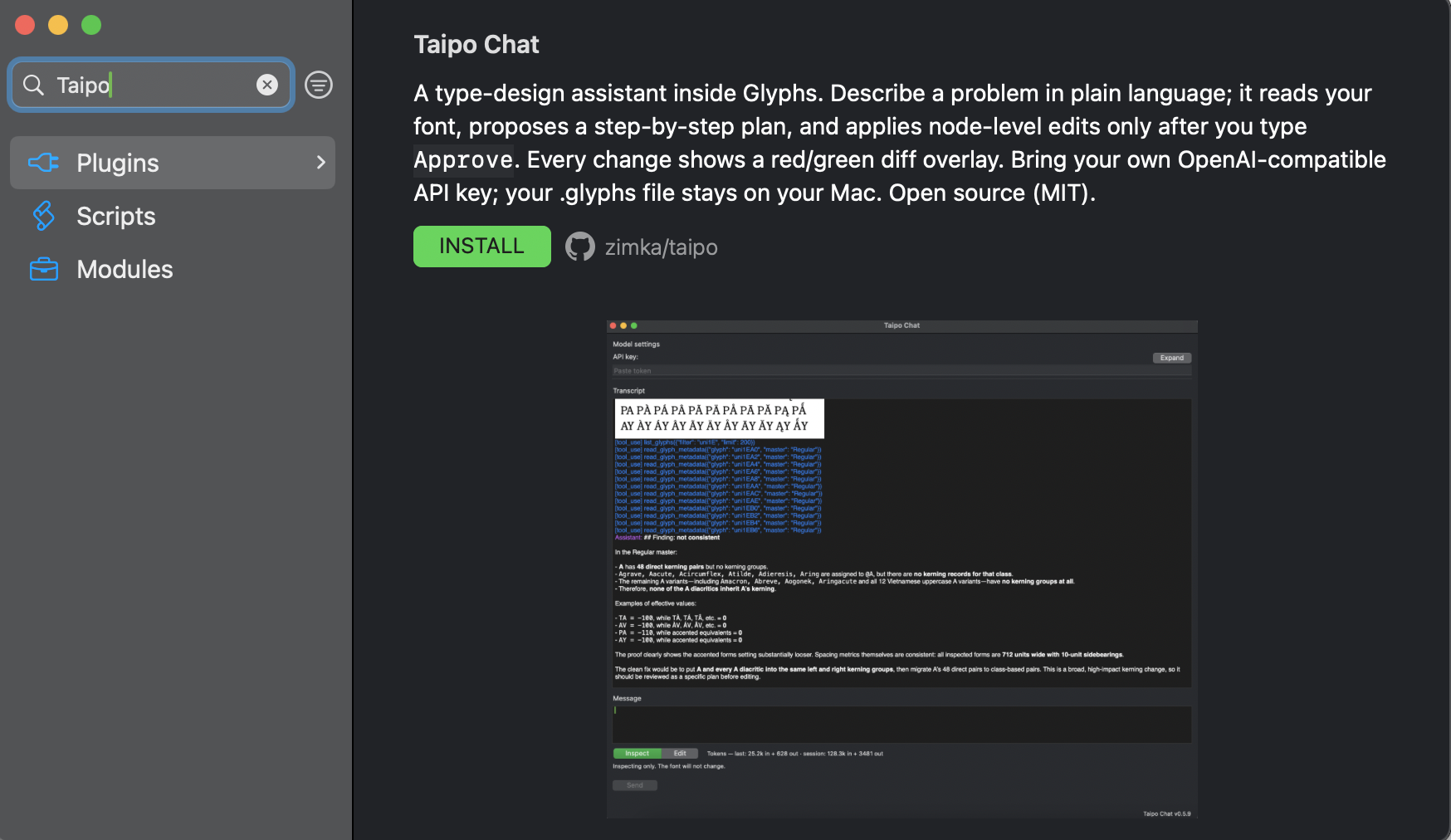
Taipo is a free plugin that lives inside Glyphs, built on the app's own type tools. Defaults to GPT via your OpenAI account — swap in any other model anytime. It sends only what a task needs, and makes only the edits you approve.

- Open source (MIT)
- Bring your own API key
- Glyphs on macOS
Demo / how it works
Watch the control loop.
A real session: inspect the font, switch to Edit when you want a change, agree the plan, then verify the red/green diff.
-
Inspect
Tell Taipo what to look at. Sessions start in Inspect: it can search, compare, and diagnose. The font does not change.
-
Edit
You flip to Edit when you want a change. Mutation tools unlock; Taipo still proposes a plan and asks if you are fine with it.
-
Check
Review the red/green diff, then keep the edit or use what you see as feedback for the next pass.
Quickstart
Prepare Glyphs, then install Taipo.
Requirements: Glyphs on macOS and a stable internet connection while chatting. Skipping Prepare Glyphs leaves Glyphs on Homebrew Python and Taipo Chat will not load.
-
01
Prepare Glyphs
- Window → Plugin Manager → Modules — install Python and Vanilla.
- Glyphs → Settings → Addons — set Python version to 3.* (Glyphs). Glyphs Addons handbook
- Restart Glyphs.
-
02
Install Taipo
- Open Window → Plugin Manager → Plugins.
- Search Taipo Chat and click Install.
-
03
Add your API key
Open Window → Taipo Chat and paste your OpenAI API key. Base URL and Model are preset.
Control, privacy, scope
Built for cautious use near real fonts.
Taipo is not a free-roaming font generator. It is a controlled assistant for targeted inspection, explanations, and edits you turn on in Edit mode.
- 01Inspect is read-only. Mutation tools are off until you switch to Edit.
- 02Red/green specimen diff. Compare the current font to an earlier specimen render as a before-after overlay.
- 03Your
.glyphsfile stays on your Mac. Taipo sends only the session content needed for the request. - 04Your key, your host. Defaults target OpenAI; any OpenAI-compatible endpoint can be configured.
- 05No training by default with OpenAI API. OpenAI says API data is not used for training by default. Read their policy.
- 06Removes grind, not judgment. Good for targeted fixes and consistency checks, not replacing your eye or drawing a typeface for you.
Open source
Inspect the code that touches your files.
Taipo Chat is open source under the MIT license. Read it, fork it, file bugs - the full source and issue tracker are public.
FAQ
Questions, answered.
Can it edit my font without my approval?
Not in Inspect — mutation tools are blocked. In Edit you have turned editing on; Taipo is still instructed to show a plan and ask first. You stay the editor of record.
Does my font leave my computer?
Your .glyphs file stays on your Mac. Only the content a session needs - glyph names, outline data, and requested specimen images - is sent to the API host you configure.
Is my data used for model training?
With OpenAI as the host, API data is not used for training by default. If you configure a different OpenAI-compatible host, check that provider's policy.
What is it good at?
Targeted fixes, consistency checks, spacing or outline investigations, and explanations. It is not meant to replace your eye, draw original glyphs from scratch, or run unattended over valuable work.
What does it cost?
Taipo Chat is free and open source. AI usage is billed by your provider, not by Taipo.
Which AI providers work?
Any host that exposes an OpenAI-compatible chat-completions API. Defaults target OpenAI; set your own Base URL and Model to switch.
Is it really open source?
Yes - MIT licensed, with full source and issues public on GitHub.